


If you've ever had a customer message you through Google Maps or Google Search, heads up: that feature is going away on July 31, 2024. Google Business Messages is shutting down, and with it, one of the easier ways customers could reach local businesses without picking up the phone.
First: Do You Actually Need to Do Anything?
Here's the thing most articles about this won't tell you: if you never set up custom chat widgets or special messaging links, you don't need to do anything. Google handles the shutdown automatically.
The "Message" button on your Google Business Profile will just... disappear. No broken links, no error messages. It'll be like it was never there.
But here's the actual problem: now customers who wanted to quickly message you are back to either calling (which many people avoid) or hunting through your website for a contact form. And that friction costs you business.
Why This Matters More Than You Think
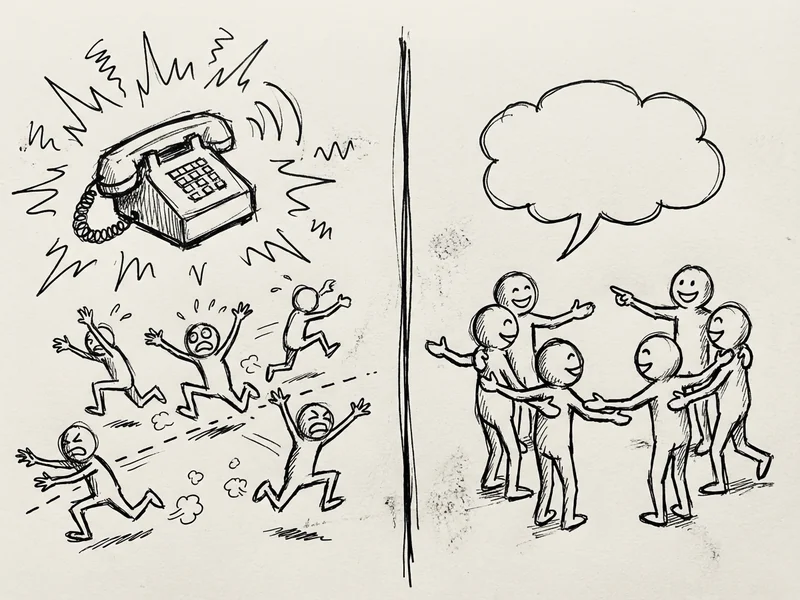
90% of people prefer texting with businesses over a phone call. That's not a typo. Nine out of ten.
Think about it from a customer's perspective. They find your business on Google Maps while sitting in their car. They have a quick question: "Do you have this in stock?" or "Can I bring my dog?" They don't want to call and wait on hold. They don't want to navigate to your website on their phone. They just want to tap a button and ask.
Google Business Messages gave them that button. Now it's gone.
The Numbers That Should Get Your Attention
Beyond the 90% preference stat, here's why making it easy to message you matters:
- Text messages have a 98% open rate. Emails? Around 20%.
- 81% of consumers have signed up for texts from businesses — up 15% from just two years ago.
- 64% of customers say appointment reminders via text are the most valuable messages they receive from businesses.
The trend is clear: customers want to text you. If you don't give them an easy way to do it, they'll find a business that does.
Your Options (From Free to "Actually Worth Paying For")
Here's what you can set up to replace that Google messaging button:
Option 1: Click-to-Text on Your Website (Free)
The simplest solution. Add a link on your website that, when tapped on mobile, opens the customer's default texting app with your number pre-filled.
The code looks like this: <a href="sms:+18055551234">Text Us</a>
That's it. When someone taps it on their phone, their Messages app opens with your number ready to go. Works on iPhone, Android, everything.
Pros: Free, takes 30 seconds to add, works everywhere
Cons: Only works from your website, not from Google Maps
Option 2: Google Voice ($10/month or Free)
If you don't want customers texting your personal cell, Google Voice gives you a separate business number. Free for personal use, $10/month per user for Google Workspace business accounts.
You can text from your computer, set business hours so texts go to voicemail after-hours, and keep your personal number private.
Pros: Cheap, separate from personal phone, works on desktop
Cons: Basic features only, no automation
Option 3: WhatsApp Business (Free)
If your customers already use WhatsApp (common in some communities and industries), the WhatsApp Business app is free and surprisingly capable. You can set up quick replies, business hours, and a product catalog.
You can add a WhatsApp link to your Google Business Profile under "Links" or "Social profiles" — it's not as prominent as the old Message button, but it's something.
Pros: Free, feature-rich, good for certain demographics
Cons: Not everyone uses WhatsApp, especially older customers
Option 4: Facebook Messenger (Free)
If you have a Facebook Business page (and in 2024, you probably should), Messenger is already set up. Customers can message you directly, and you can respond from your phone or computer.
The catch: customers need a Facebook account, and you need to actually check your Facebook messages. I know plenty of business owners who haven't looked at their Facebook inbox in months.
Pros: Free, many customers already use it
Cons: Requires Facebook, easy to ignore if you're not active there

The One Thing You Absolutely Must Do
Whatever option you pick, update your Google Business Profile with clear contact info. (And if you were using the free Google Business Profile website that got shut down, here’s what to do about that.) Go to your profile, click "Edit profile," and make sure:
- Your phone number is correct and tappable
- Your website link works and has a visible "Contact" button
- If you're using WhatsApp or another messaging app, add it under the links section
Then, look at your website. Can someone on their phone find how to reach you within 5 seconds? If not, fix that. Put a "Call" button and a "Text" button right at the top of your mobile site.
One More Thing: Response Time Matters
Here's where a lot of businesses mess up. They set up a way for customers to text them, then take 6 hours to respond.
66% of customers expect a response within one hour when they text a business. Not a day. Not "when you get around to it." One hour.
If you can't commit to checking messages regularly, either:
- Set up an auto-reply that says "Thanks for reaching out! We typically respond within [X hours/by end of day]."
- Stick to phone calls where voicemail sets that expectation naturally
Nothing frustrates customers more than being ignored after they reached out.
The Timeline
Here's what's happening and when:
- July 15, 2024: Google stops creating new conversations. The Message button starts disappearing.
- July 31, 2024: Everything shuts down completely. Existing conversations become read-only, then disappear.
If you had ongoing conversations through Google Business Messages, you have until July 31 to close them out or redirect those customers to your new contact method.
The Bottom Line
Google killing Business Messages is annoying, but it's not catastrophic. Most small businesses barely used it anyway.
The real takeaway: make sure customers can easily reach you. Put your phone number where people can find it. Add a "Text Us" option if you can handle texts. Keep your Google Business Profile updated.
The businesses that make it easy to get in touch are the ones that win. The ones that make customers hunt for contact info or wait on hold? They lose to whoever's easier to reach.
Need Help Setting This Up?
Every YouGrow website comes with mobile-optimized contact options built in — click-to-call, click-to-text, contact forms that actually work. We also make sure your Google Business Profile is connected and accurate.
If you're not sure whether your current setup makes it easy for customers to reach you, send me a message. I'll take a look and tell you what's missing. Takes five minutes to check.