
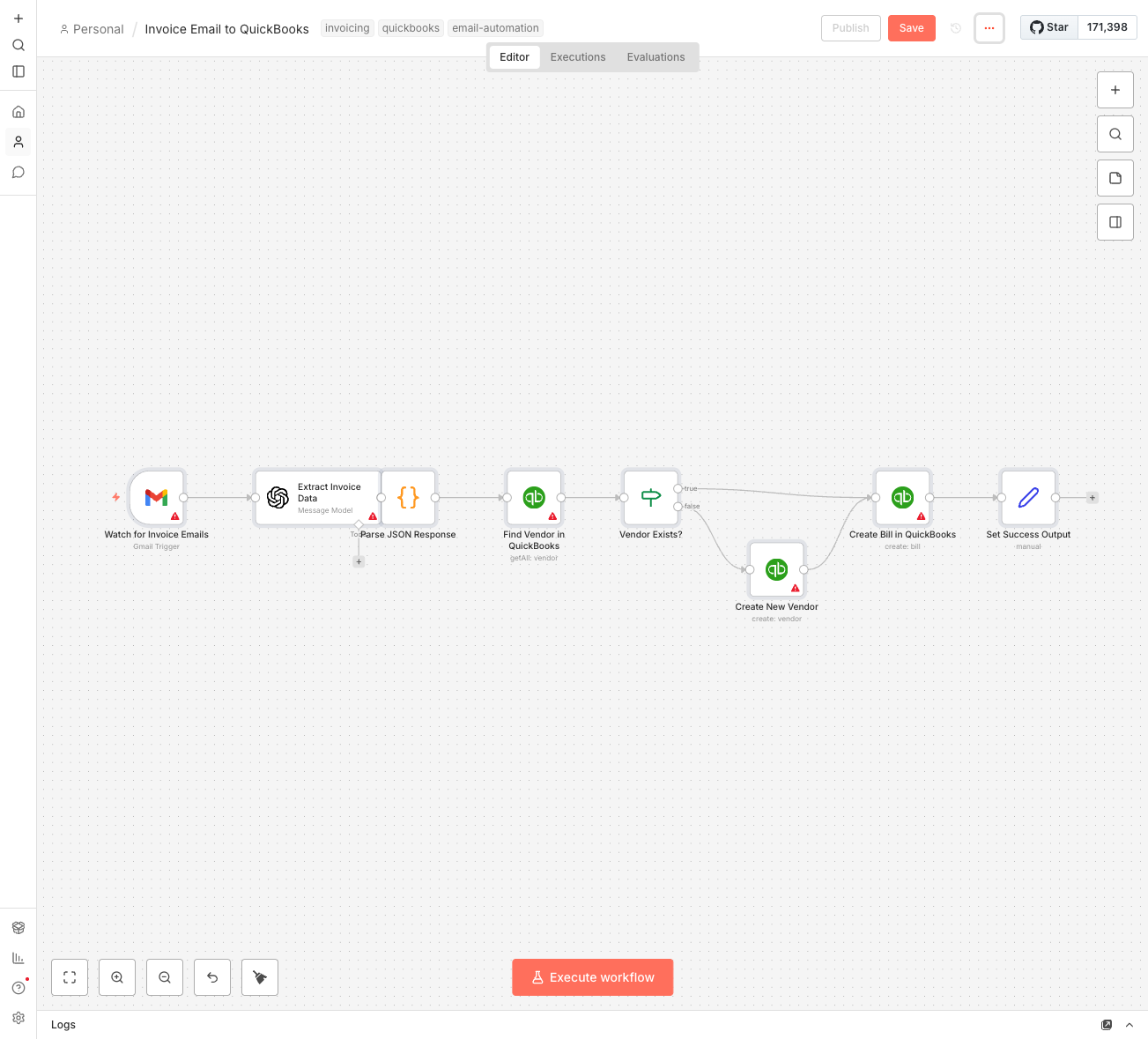
What This Does
You know that stack of invoices in your inbox? The ones you keep meaning to enter into QuickBooks but never quite get to? This template handles that automatically.
It reads the invoice from your email, extracts the numbers using AI, and creates the bill in QuickBooks. No more manual data entry, no more typos, no more "I'll get to that later."
How It Works
It's a simple 4-step process:
- Watch Gmail - Monitors for new emails with 'Invoice' in the subject
- Grab the Attachment - Downloads the PDF when one arrives
- Extract with AI - OpenAI pulls out vendor name, date, and total amount
- Create the Bill - Checks if vendor exists in QuickBooks and creates a new bill
It's direct, fast, and stays out of your way.
What You'll Need
There are a few things to get this running:
- n8n instance - Self-hosted or n8n Cloud
- QuickBooks Online account - With API access enabled
- OpenAI API key - For the data extraction (costs about $0.01-0.02 per invoice)
Setting up the connections takes about 10 minutes, and another 5 to test it with your first invoice. If you're receiving more than 10 invoices a week, this is a no-brainer.
Red Flags This Prevents
Manual invoice entry creates problems:
- Typos - $1,234 becomes $12,34. Happens more than you'd think.
- Forgotten invoices - Sitting in your inbox, accruing late fees
- Wrong vendor - Similar names, different accounts. Easy mistake.
- Time waste - Every invoice takes 3-5 minutes. That adds up.
The automation eliminates all of these. The AI doesn't make typos, doesn't forget, and doesn't pick the wrong vendor.