


Google just wrapped up their annual Cloud Next conference and announced 218 new things. Two hundred and eighteen.
Most of it is enterprise stuff - the kind of features that matter if you have a dedicated IT department and a six-figure cloud budget. So I went through all of it and pulled out what actually matters if you're running a small business.
Here's the short version: 7 things worth knowing about.
1. Google Vids: Video Creation for People Who Aren't Video People
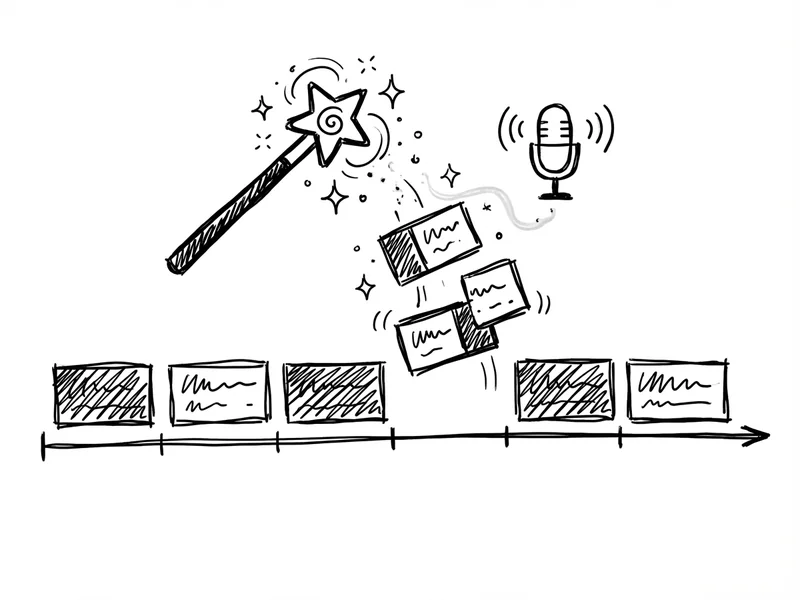
This is the big one. Google is launching a new app called Vids that sits alongside Docs, Sheets, and Slides. It's an AI-powered video creation tool.
Here's what it does: You describe what you want ("a training video about our new return policy"), and it generates a storyboard. Then it pulls in stock footage, images, background music, and even a voiceover. You can edit everything, swap clips, record your own voice instead - it's collaborative like Google Docs.
Why does this matter? Because video is everywhere now. Training videos, product demos, team updates, customer explainers. Previously, you either learned video editing or paid someone who did. This lowers that bar significantly.
The catch: Vids launched in Workspace Labs in June, which means it's still in testing. If you're on a paid Workspace plan, you might be able to access it through the Labs program.
2. "Take Notes for Me" in Google Meet
This one I'm actually excited about. "Take notes for me" is exactly what it sounds like - during a Google Meet call, AI listens and takes notes so you can actually focus on the conversation.
After the meeting, you get a summary. It's attached to the calendar invite so everyone in the meeting can access it.
If you've ever come out of a meeting thinking "wait, what did we decide?" or spent the first five minutes of a call catching up a late arrival, this solves that problem.
The feature was announced in preview at Cloud Next and rolled out to Workspace users in August 2024.
3. Real-Time Translation in Meet (69 Languages)
Google Meet can already do live captions. Now it can translate those captions into 69 different languages automatically.
For most small businesses on the Central Coast, this probably isn't a game-changer. But if you work with vendors, clients, or team members who speak different languages, this is huge. Real-time translation used to require expensive interpreters or clunky third-party tools.
4. The Pricing Actually Makes Sense (Unlike Microsoft)
Here's where it gets interesting. Google announced two new add-ons:
- AI Meetings and Messaging - $10 per user, per month
- AI Security - $10 per user, per month
For context, Microsoft Copilot costs $30 per user, per month. That's three times the price.
Now, these aren't identical products - Microsoft's Copilot is more deeply integrated into Office apps. But for small businesses who just want AI note-taking and smarter spam filtering, Google's pricing is significantly easier to justify.

5. Gmail Gets Even Better at Blocking Spam
Gmail already blocks 99.9% of spam, phishing, and malware. With the new AI improvements, they're now blocking an additional 20% more spam using large language models. (If you're on the other side of this—wondering why your emails keep landing in spam—we covered that too.)
What does that mean in practice? The AI can now understand context better - it can tell the difference between a legitimate email that mentions "wire transfer" and a scam that's trying to trick you.
This matters because phishing is getting more sophisticated. The obvious Nigerian prince emails are mostly gone. Now it's "your boss" asking you to buy gift cards, and the grammar is perfect because it's written by AI. Google's using AI to fight AI. (We wrote about how to spot these scams—worth a read if you haven't.)
6. Sheets Gets Pre-Built Tables
If you've ever opened a blank spreadsheet and thought "I know I need to track this project, but where do I even start?" - this one's for you.
Sheets is getting pre-built table templates for common use cases: project management, event planning, inventory tracking. Pick a template, and the formatting, formulas, and structure are already set up.
It's not revolutionary, but it removes friction. And for small businesses without a dedicated "spreadsheet person," that friction matters.
7. Docs Gets Tabs (Finally)
Google Docs now has tabs - like a web browser. Instead of linking to five different documents or having one massive doc with a table of contents, you can organize related information in tabs within a single document.
Think: an employee handbook with tabs for "Policies," "Benefits," "Procedures." Or a client project with tabs for "Scope," "Timeline," "Deliverables."
Small thing. Big quality-of-life improvement.
The Honest Take
Most of what Google announced at Cloud Next is for big companies. Vertex AI, custom AI agents, enterprise security features - if you're a five-person business, you can safely ignore all of that.
But these seven features? They're the kind of practical improvements that actually save time and money for small businesses.
The asterisk: Most of them require paid Workspace plans, and some require the additional $10/month add-ons. If you're on the free Gmail tier, you won't get these.
That said, $10/user/month for AI note-taking and better spam protection isn't unreasonable - especially compared to what Microsoft is charging.
What YouGrow Does Differently
I keep an eye on these big tech announcements so you don't have to wade through 218 product updates to find the three that matter for your business.
If you're wondering whether any of this makes sense for your specific situation - maybe you're already paying for Workspace and wondering if the add-ons are worth it, or you're considering switching from Microsoft - let's talk. I can help you figure out what actually moves the needle versus what's just shiny.